How to Audit Your WordPress Plugins for Vulnerabilities (Before Someone Else Does)
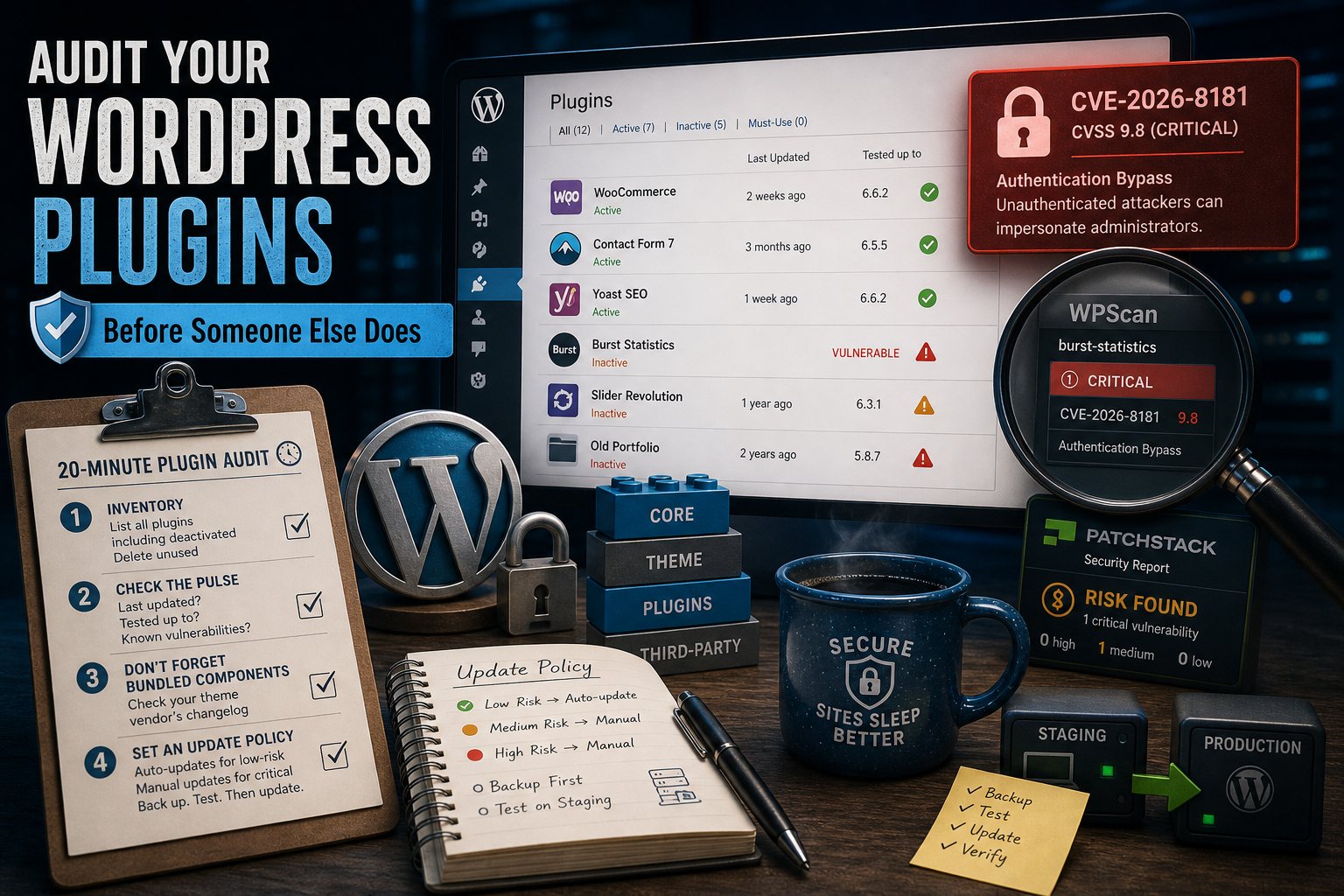
Last week, attackers began exploiting an authentication bypass in Burst Statistics — a WordPress analytics plugin running on roughly 200,000 sites. The flaw (CVE-2026-8181, CVSS 9.8) let unauthenticated visitors impersonate administrators. The patch came fast; the exploitation came faster.
Your plugins are your attack surface. Here's the 20-minute audit we recommend running quarterly.
1. Inventory what you actually run
In Plugins → Installed Plugins, list everything — including deactivated plugins, which still sit on disk and can still be exploitable. If you haven't used it in six months, delete it. Deactivated is not deleted.
2. Check each plugin's pulse
For every plugin, check the wordpress.org page (or the vendor's site) for:
- Last updated: more than a year ago is a yellow flag; two years is a red one.
- Tested up to: if it hasn't been tested against a recent WordPress core, the maintainer has moved on.
- Known vulnerabilities: search the plugin name on a vulnerability database like WPScan or Patchstack. It takes seconds.
3. Don't forget what your theme bundled
Premium themes quietly bundle page builders and sliders — this month it was Avada's bundled builder exposing over a million sites. Bundled components don't update through the normal plugin screen, so check your theme vendor's changelog too.
4. Set an update policy you'll actually follow
Enable auto-updates for low-risk plugins. For the critical ones (commerce, forms, anything with user data), update manually within days of a release — after a backup, on a staging copy if you have one.
The honest fine print
This audit catches the obvious. What it can't do is watch disclosure feeds at 2 a.m. and virtual-patch your site before you've had coffee — that's the part that needs to be somebody's actual job, whether that's you, or a managed host who does it for a few hundred thousand sites at a time.