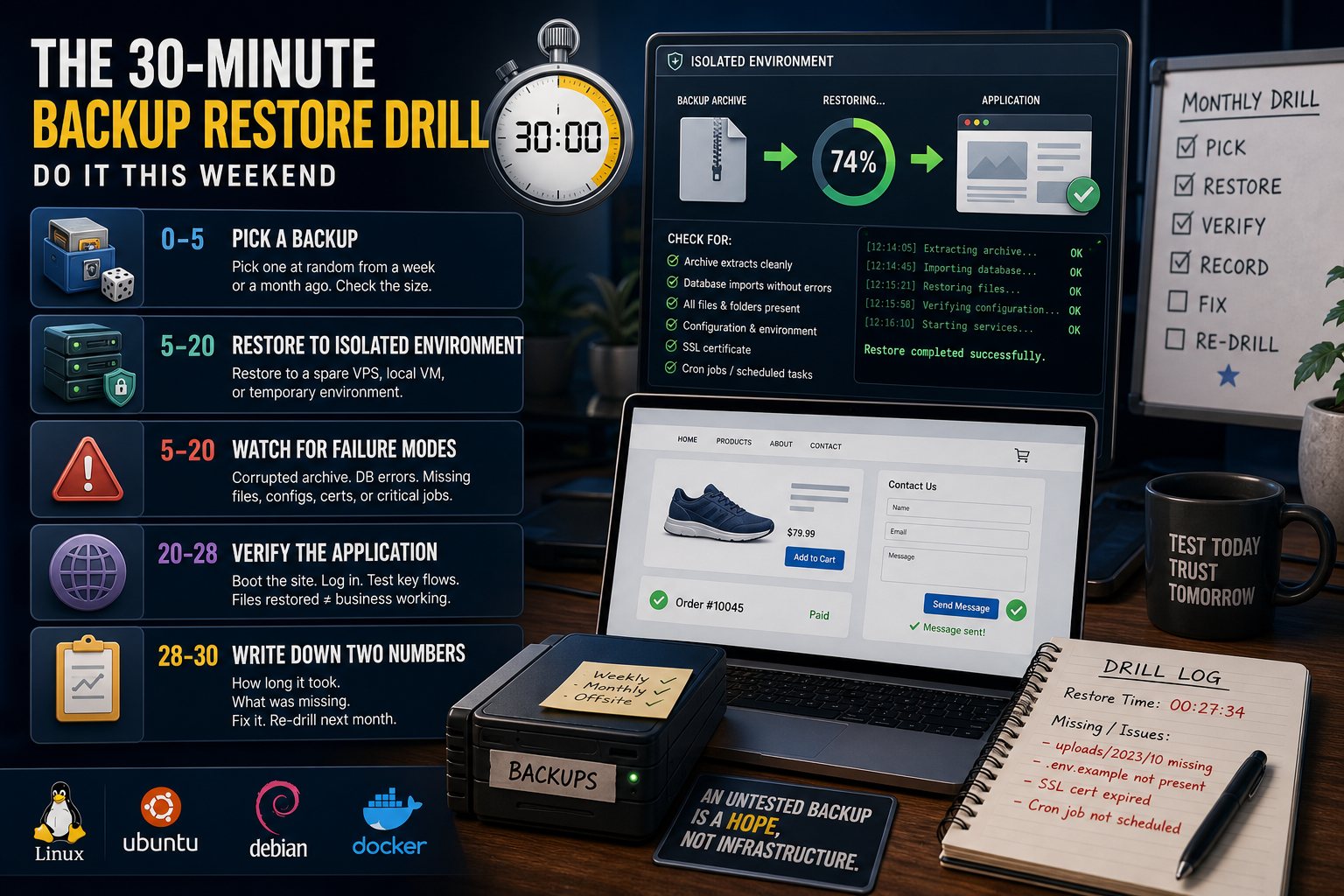
The 30-Minute Backup Restore Drill (Do It This Weekend)
After last week's ransomware numbers, several readers asked the right question: how do I know my backups actually work? You drill. Here's the 30-minute version we use.
Minute 0–5: pick a backup at random
Not last night's — pick one from a week or a month ago. Random selection keeps you honest: if any backup might be chosen, every backup has to work. Note its size; a backup that's suspiciously smaller than your site is already telling you something.
Minute 5–20: restore to somewhere isolated
Never drill on production. Restore to a spare VPS, a local virtual machine, or a temporary environment — anywhere isolated. Then watch for the classic failure modes:
- The archive won't extract (corruption nobody noticed because nobody ever opened it).
- The database dump errors halfway (it was taken without locking, mid-write).
- Something's missing — uploads directory, environment file, SSL certs, that one cron job that makes everything work.
Minute 20–28: verify the application, not the files
Files restoring is not the test. Boot the site. Log in. Load a product page, submit the contact form, check an order record. "The backup restored" and "the business works" are different claims — verify the second one.
Minute 28–30: write down two numbers
How long it took (your real restore time — multiply accordingly for your full dataset) and what was missing. That second list is your homework; fix it and re-drill next month. It shrinks fast once someone's looking.
Make it boring
The goal is for restores to be so rehearsed they're boring. On our managed backup plans we run verification automatically and scheduled test restores with reports — but the principle applies anywhere: an untested backup is a hope, and hope is not infrastructure.