npm's Worm Problem: When `npm install` Steals Your Credentials
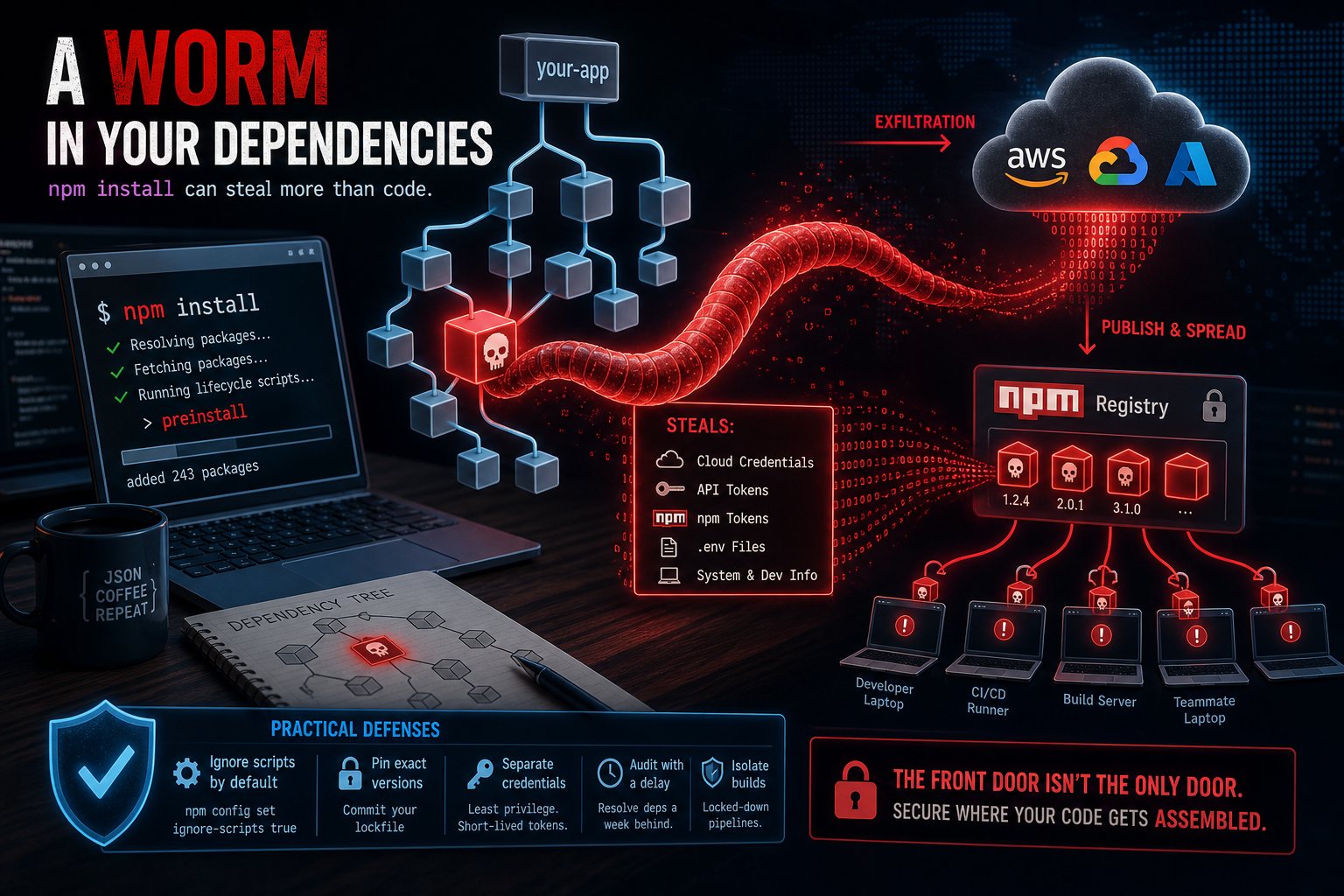
Over the first days of June, researchers tracked a supply-chain campaign dubbed Miasma: more than 32 packages under the @redhat-cloud-services npm namespace were compromised with a malicious preinstall script, followed by a second wave hitting 57 packages across 286 versions — including an SDK pulling 400,000+ downloads a month.
The payload runs the moment you npm install. It harvests cloud credentials, API tokens, and developer-environment details — then uses any npm publish tokens it finds to infect more packages. A worm, in your dependency tree.
Why this one's different
The security advice of the last decade was "be careful with random packages." These weren't random packages — they were vendor-namespaced, legitimately maintained, widely trusted. The compromise happened upstream, to maintainer credentials, and trust flowed downstream automatically along with the code.
Your website doesn't even have to use these packages to be at risk. If anyone on your team installed one on a laptop that also holds your AWS keys, your deploy tokens, or your .env files — the blast radius includes production.
Practical defenses that survive contact with reality
- Ignore lifecycle scripts by default:
npm config set ignore-scripts trueneutralizes the preinstall vector. Allow scripts per-package only when genuinely needed. - Pin exact versions and commit your lockfile. Worms spread through fresh version pulls; a frozen lockfile doesn't pull surprises.
- Separate credentials from build environments. A laptop that runs
npm installshould not also hold production cloud keys. Scoped, short-lived tokens limit what theft is worth. - Audit in CI, with a delay window — most poisoned versions are caught within days, so resolving dependencies a week behind the bleeding edge is cheap insurance.
We build client projects in locked-down pipelines with isolated credentials for exactly this reason. The front door of your website is no longer the only door — these days, it's wherever your code gets assembled.