MikroTrick: Two Chained SSH CVEs Are Hijacking MikroTik Routers Across 122,500 Exposed Networks
On September 3, MikroTik quietly pushed firmware updates across all its release channels. By then, attackers had already been inside routers for at least a day. Researchers at CERT Polska, who coordinated the disclosure, confirmed active exploitation dating to September 2 — a day before the fix landed. If your office runs a MikroTik router with SSH accessible from the internet and you haven't updated this week, assume you may already be compromised.
The MikroTrick Chain: Two Bugs, Full Control
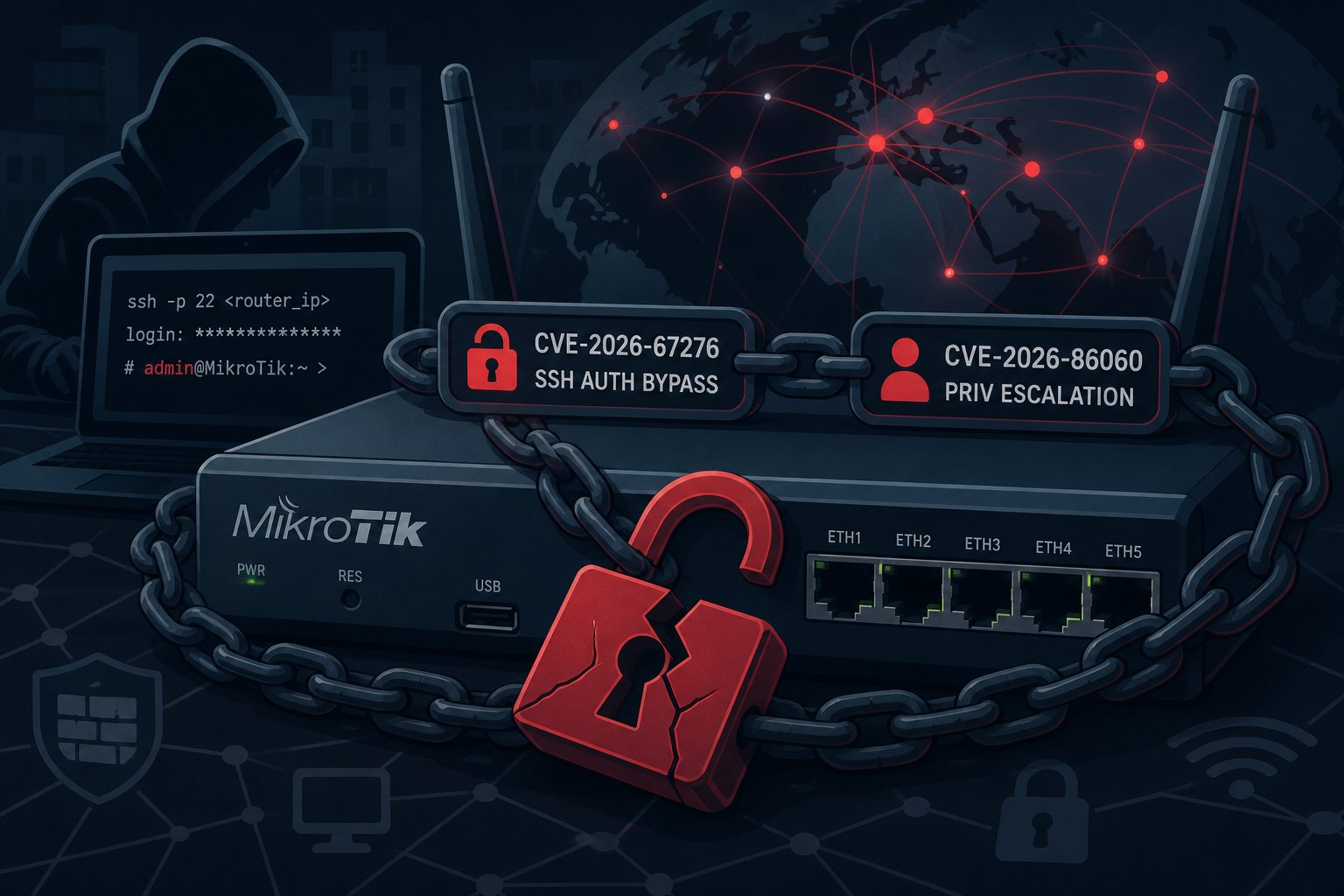
Six vulnerabilities were disclosed in total; two of them chain together into what CERT Polska named MikroTrick. The combination requires no credentials and no prior foothold — only a router with SSH reachable from the internet.
CVE-2026-67276 (CVSS 9.2) is an SSH authentication bypass. RouterOS was comparing only the RSA public key modulus during authentication rather than validating the complete key. An attacker who knows a valid username and that user's public key modulus — information that can often be gleaned from public key servers or previous reconnaissance — can forge a credential that RouterOS accepts as legitimate, without ever possessing the private key. In practice, this means an attacker can impersonate any authorized SSH user on the device.
CVE-2026-86060 (CVSS 9.2) compounds the damage. RouterOS mishandles SSH usernames that begin with certain disallowed characters. A specially crafted username causes the login process to return a session with full administrative privileges, regardless of who — or what — submitted it. Combined with CVE-2026-67276, an attacker can forge a valid SSH session and immediately escalate it to root-level admin access in a single authentication exchange.
A third vulnerability, CVE-2026-67277 (CVSS 8.8), lives in the bandwidth-test service. Unauthenticated connections can reach states normally reserved for logged-in users; pairing this with an uninitialized packet-buffer data leak and an integer underflow gives attackers a path to kernel memory disclosure or a remote denial-of-service crash. Three additional lower-severity flaws — in the SSH client, X.509 certificate handling, and the WebFig interface — round out the disclosure.
The Numbers Are Bad
CERT Polska's September 5 scan found at least 122,500 MikroTik devices with SSH exposed to the internet. That is a large and inviting attack surface. Confirmed successful attacks have been traced to IP 82.192.72.4 (a Leaseweb-hosted address); a second IP, 103.102.31.18, shows up in exploitation attempts. The scope and coordination of the traffic suggest automated, at-scale scanning rather than targeted intrusions.
MikroTik's official advisory notes that "most configurations are not at risk" — which is technically true if SSH is firewalled off from the public internet. But most small offices and branch deployments do leave SSH accessible for remote management, and that is precisely the population under attack.
What Attackers Do Once They're In
Post-compromise behavior observed in the wild follows a consistent playbook: create a privileged user account (the one spotted repeatedly is named ops), add SSH keys for persistence, modify firewall rules to allow continued access, and establish proxy servers or tunnels for lateral movement and traffic interception. Scheduler tasks are added to maintain persistence across reboots. This is the infrastructure-as-beachhead model: own the router, own the traffic flowing through it.
For a small business, a compromised router means attackers can intercept unencrypted internal traffic, capture credentials being transmitted over the local network, pivot to other devices on the LAN, and quietly redirect or tunnel traffic for weeks before anyone notices.
How to Tell if You've Already Been Hit
The most reliable indicator is SSH log entries referencing the user -2. RouterOS will log login failure for user -2 from <ip> via ssh during exploitation attempts, and a successful compromise will produce user added by ssh:-2@<ip> in /system history. The creation of an account named ops that you didn't create is another hard sign.
To check your device's status run: /system/device-mode/print — MikroTik's firmware flags some compromise evidence with a "Flagged" status, though researchers note that log purging means a clean log does not guarantee a clean device. Audit for unknown users, scripts, scheduler entries, proxy configurations, and firewall rules you don't recognize.
What You Need to Do Right Now
Update RouterOS immediately. The patched versions are:
- 7.24.2 — stable channel, the recommended update for most deployments
- 7.23.4 — long-term channel
- 6.49.21 — older long-term
- 7.25 beta 3 — testing channel
If you can't patch immediately, restrict SSH access to trusted IPs using RouterOS firewall rules, or disable SSH entirely and switch to WireGuard VPN for remote management — MikroTik's own advisory recommends this as the more robust long-term posture regardless of patch status.
If you have reason to believe a device was already compromised before patching: isolate it, preserve logs and configuration for forensics, factory reset, reconfigure from a known-good backup, and rotate every credential and SSH key that was ever accessible from that device. A patch applied on top of an active compromise does not evict attackers who have already added persistence mechanisms.
The Bigger Pattern
Network edge devices — routers, firewalls, VPN concentrators — have become the preferred initial-access vector for both commodity malware and sophisticated attackers. They're always on, often less carefully monitored than servers, and when compromised give attackers a silent, privileged seat in the middle of all traffic. MikroTik is particularly common in small and mid-size businesses precisely because it's capable hardware at a price point SMBs can afford; that same popularity makes the fleet an attractive target.
At Falcon Internet, 24x7x365 NOC monitoring means unusual network patterns get flagged before they become full incidents — but the starting point is always the same: patched, correctly firewalled infrastructure at the edge. Update your routers this week.