MariaDB 10.6 Reaches End of Life Sunday — Four Days to Upgrade
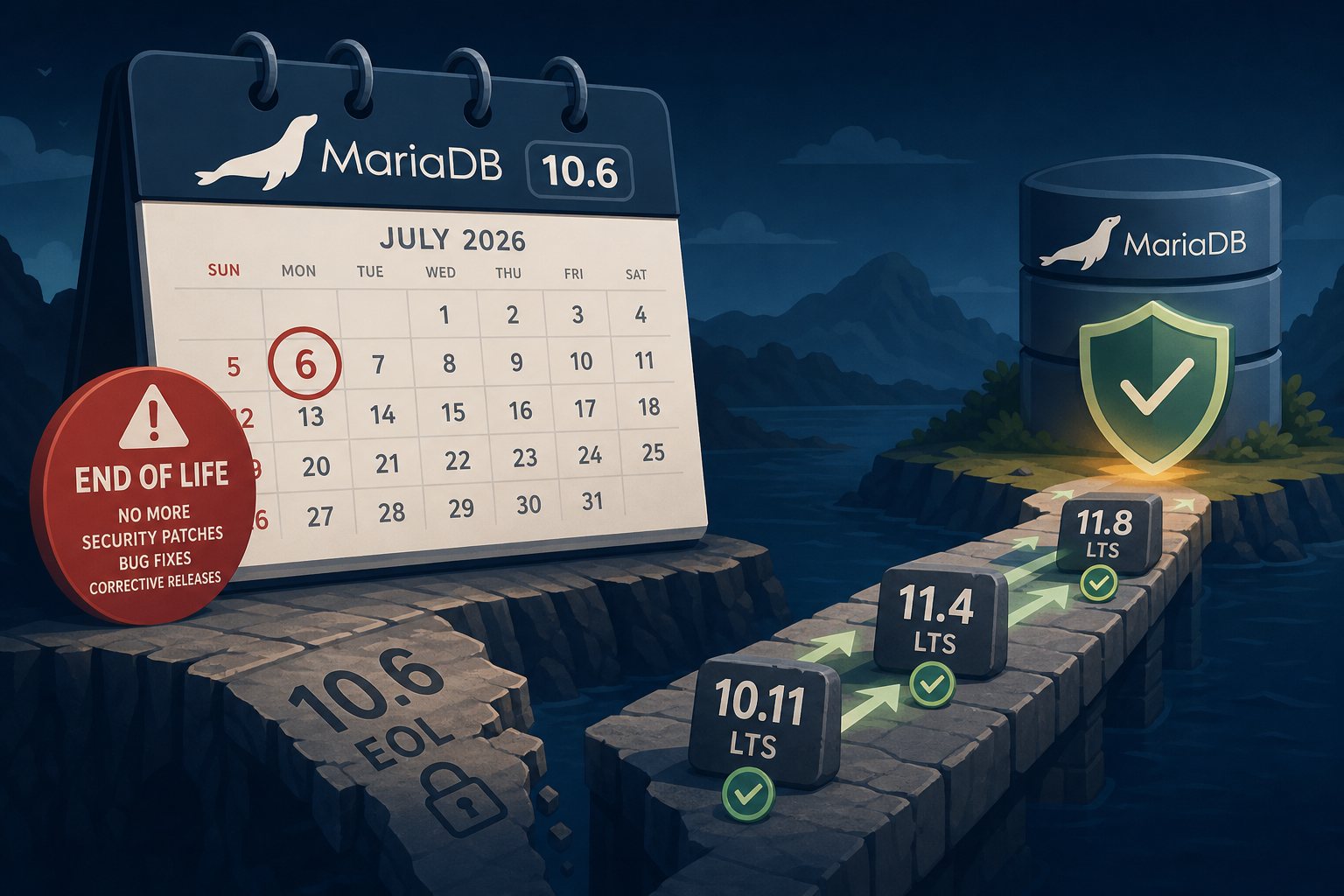
Mark your calendar: on July 6, 2026 — this Sunday — MariaDB 10.6 LTS reaches end of community life, exactly five years after its initial general availability release. From that date forward, the MariaDB Foundation will ship no more security patches, bug fixes, or corrective releases for the 10.6 branch. One final binary package may land in late July as a send-off, and then the branch is frozen permanently. Every CVE disclosed after Sunday is a permanent open wound for systems still running it.
What Stops on July 6
The MariaDB Foundation's language is unambiguous: no more bug fixes, no more security fixes, and no more corrective releases for MariaDB Community Server 10.6. Security advisories will continue to be published for MariaDB 11.x, but those patches will never be backported to 10.6. The exploit surface grows with every future disclosure — and attackers know it. The mechanism is well-documented: when a CVE is patched in 11.4, the diff is publicly visible. Attackers reverse-engineer exactly which code path is vulnerable in the unfixed version and build exploits targeting EOL systems. That window never closes for EOL software.
How Many Sites Are Affected
More than you might expect. A WordPress.org analysis found that over 37% of WordPress installations run database software that has already reached end of life — 11% specifically on EOL MariaDB versions, another 26% on EOL MySQL. MariaDB 10.6 is the most widely deployed of the EOL MariaDB branches. If your server was provisioned in 2022 or 2023 and hasn't been touched since, it likely shipped with 10.6. Check with mariadb --version from the command line, or look in your hosting control panel's software stack details.
The compliance angle matters too. PCI DSS requires timely patching of known vulnerabilities — running an unpatched database triggers audit findings. HIPAA treats unpatched software as a documented risk management failure. SOC 2 Type II audits flag EOL software as a control deficiency. And cyber insurers are increasingly scrutinizing software versions during underwriting; an unpatched database is the kind of finding that voids coverage or drives up premiums after an incident.
Where to Upgrade
Three LTS branches are currently in community support and appropriate for production use:
- MariaDB 11.4 LTS — the recommended target for most deployments. Supported through May 29, 2029, endorsed by the WordPress Hosting Team, and the most thoroughly documented migration path from 10.6. Enterprise support extends to January 2033.
- MariaDB 10.11 LTS — the conservative hop. Still in community support until February 16, 2028, with a shorter behavioral distance from 10.6 if you want a lower-risk intermediate step.
- MariaDB 11.8 LTS — for forward-leaning environments. Adds a native
VECTORtype for AI/ML workloads, resolves the Year 2038 timestamp problem, and setsutf8mb4as the default character set. Community support runs through June 4, 2028.
The safest path for a production system that hasn't been touched in a while: a two-hop migration of 10.6 → 10.11 → 11.4. Each hop has an official upgrade guide and a shorter distance of behavioral change, making rollback simpler if something breaks.
What Can Bite You on the Way Up
Upgrade without preparation and several things can go sideways:
- InnoDB Change Buffer corruption. MariaDB 10.6 disabled the InnoDB Change Buffer due to corruption concerns but left existing buffer data on disk. MariaDB 11.4 removed it entirely. Systems with heavy write loads before the buffer was disabled may hit
[ERROR] InnoDB: The change buffer is corruptedon upgrade. The only clean fix is a dump-and-restore, not an in-place upgrade. Take a verified full backup before touching anything. - Removed
my.cnfvariables. Several configuration options were dropped across the 10.6-to-11.x jump, includinginnodb_log_write_ahead_size,old_alter_table, andtx_isolation(nowtransaction_isolation). Leaving removed variables in your config causes startup failures. Audit your config file before upgrading. - SSL on by default in 11.4. MariaDB 11.4 auto-generates SSL certificates and enables them at startup. Applications connecting without SSL configuration may fail. Check your database connection strings and add explicit SSL settings or
ssl=falseflags where appropriate. - Backup script filenames. The mariadb-backup tool renamed its output files from
xtrabackup_*tomariadb_backup_*. Any monitoring scripts or restore procedures referencing the old prefix will silently break.
After the in-place upgrade, run mariadb-upgrade (or mariadb-check --all-databases) and ANALYZE TABLE on critical tables to refresh optimizer statistics — the cost-based query optimizer introduced in 11.x can produce different execution plans, most of them better, but worth verifying with EXPLAIN on complex queries before cutover.
If You Can't Move Yet
MariaDB Enterprise Server 10.6 extends commercial support to August 23, 2029 — nearly three more years of security patches on the existing version. TuxCare's Extended Lifecycle Support provides a similar bridge without a full vendor contract. Both are legitimate options when an application dependency or change-management process makes an immediate upgrade impractical. Treat them as bridges, not destinations — the underlying software grows more architecturally distant from supported versions with each passing month, and the migration complexity only compounds.
At Falcon Internet, keeping database software current before the EOL date is part of what managed hosting means — because a site running an unpatched database for six months is an incident looking for a date, not a question of whether.